
Author name: admin

Digital Marketing

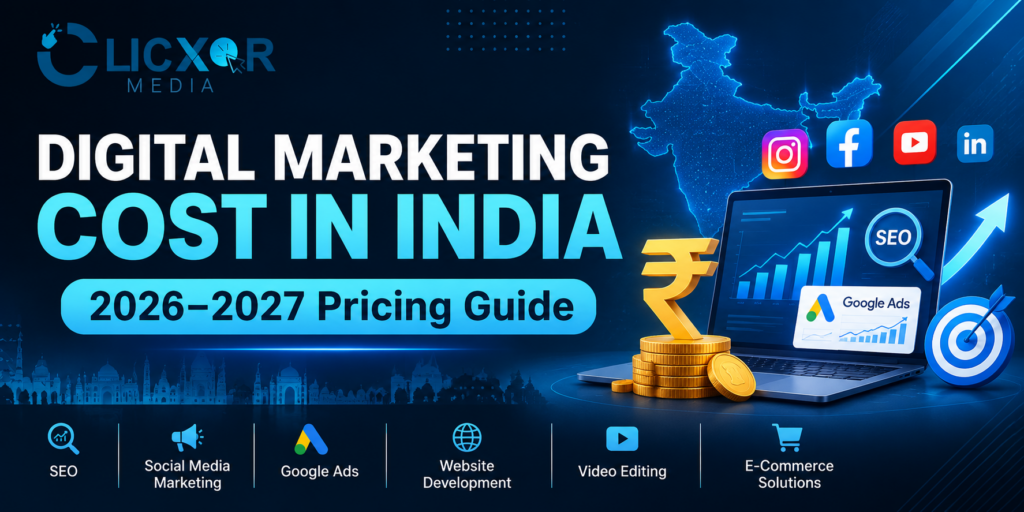
How Much Does Digital Marketing Cost in India in 2026-2027?

Digital marketing has become a crucial aspect of growing a business in India. Whether it be a small local business, a startup, an e-commerce store, or a well-established business, the online world provides opportunities for building brand awareness, generating leads, and increasing sales. However, one question almost every business owner asks before investing is: How much does digital marketing cost in India? The answer to this question is not straightforward. It depends on the goals of the business, the industry, the target audience, the competition, the marketing channels, and the efforts required. Some businesses work within a focused monthly budget, while others have a larger marketing budget to invest in SEO, Google Ads, social media and other digital marketing strategies. In 2026-2027, the ever changing behavior of customers, mobile first and AI-powered search would continue to increase competition in the online world, thus requiring businesses to be on their toes and updated with the latest marketing strategies to increase their customer base. This guide provides a detailed insight on costs of digital marketing services in India, agency fees, advertising costs and budgets, packages, and the factors that affect the total spend. You will also learn how to fix an appropriate marketing budget for your business. 1. Quick Answer: What Is the Average Digital Marketing Cost in India? The cost of digital marketing in India is between ₹5,000 to ₹1,50,000 or more, per month, based on the services and the campaign goals. Some business owners budget between ₹10,000 to ₹25,000 per month for basic digital marketing services to get their business started. For a more aggressive approach, a marketing budget between ₹30,000 to ₹75,000 may be required. Here is a rough idea of costs of some digital marketing services in India: Digital marketing service Approximate cost (in INR) SEO 10,000-50,000+ Local SEO 5,000-25,000 SMM 8,000-40,000 Google Ads 8,000-30,000+ Meta Ads 8,000-30,000+ Content Marketing 5,000-30,000 Website Development 15,000-2,00,000+ Video Editing 1,000-10,000+ Full Service Digital Marketing 25,000-1,00,000+ Note: These are ballpark figures, not fixed rates. Actual costs charged by freelancers, agencies and enterprise service providers vary. Additional expenditure related to advertising, applicable taxes, premium software and production may be charged separately. 2. What Is Digital Marketing and Why Is It Important in 2026-2027? The use of online and digital channels to promote and sell products and services is known as digital marketing. Traditional marketing focuses on broad reach and mass audience engagement. Digital marketing allows businesses to hone in on their target audiences. Digital marketing has the added advantage of tracking campaign performance and measuring key performance indicators in real-time. With measurable results, digital marketers are able to adapt and improve their strategies. There are several avenues of digital marketing: To be successful at digital marketing, you must be able to design a strategy that allows potential customers to find you, educate themselves about your business, and nudge them to take the next step. For 2026-2027, digital marketing requires an integrated approach. An example is a customer who wants to engage with a digital marketing agency in Kanpur. The customer uses different channels to find information about a particular business. For example, a customer may locate a business on Google Search, visit a business website, check business reviews, look for a business on social media, and finally contact a business through WhatsApp before making a decision to do business with the company. To put it in other terms, different channels provide several opportunities for the customer to make a decision. Therefore, doing the right digital marketing activities is more important than spending money on different promo activities. 3. Digital Marketing Cost in India: Freelancer vs Agency vs In-House Team The cost of digital marketing is affected by who manages your marketing campaigns. You have the option of employing a freelancer, working with a digital marketing agency, or establishing an in-house marketing team. A. Employing a Freelancer Hiring a freelancer is most suitable if you do not want to hire a complete marketing team. For example, if you want to outsource keyword research, content publishing, or advertising campaign activities, you can engage freelancers for each activity respectively. Estimated monthly cost: ₹5,000 – ₹30,000. Benefits: Limitations: B. Working with a Digital Marketing Agency A digital marketing agency employs individuals who cover different aspects of marketing. Depending on your chosen package, an agency may manage your SEO, social media, website improvements, paid advertisements, content creation, and performance reporting. Approximate monthly cost: ₹15,000-₹1,00,000+. Advantages: An agency may be a good option for businesses that want to outsource their marketing efforts without hiring multiple full-time employees. C. In-House Marketing Team Note: Your original content does not contain a separate explanation or pricing estimate for an in-house team, so I have not added new content here. 4. SEO Cost in India in 2026-2027 Search engine optimization is making a web page easy to be found, crawled and indexed by search engine bots. The objective of SEO is to ensure that the target audience can find the business website when they do an online search for the products and services offered. For instance, a business located in Kanpur that offers marketing services may target searches such as: Factors that affect the cost of SEO include, size of the website, level of competition for the targeted keywords, existing issues on the website, content, backlinks, location, and SEO strategy. The estimated cost of SEO in India is: Service Estimated monthly cost Basic SEO 5,000-10,000 Small business SEO 10,000-25,000 Growing business SEO 25,000-50,000 Competitive SEO campaigns 50,000-1,00,000+ Enterprise SEO 1,00,000-3,00,000+ What Is Included in SEO Services? A professional SEO campaign may include: 5. Social Media Marketing Cost in India Social media marketing focuses on specific platforms like Facebook, Instagram and LinkedIn to name a few. It is an effective means to improve brand awareness, audience engagement and leads generation. It is a very flexible marketing method in terms of investment and expenditure, based on the requirements of the business. A basic social media management package can cost INR 5,000 to INR 10,000. […]
ai seo expert
Uncategorized

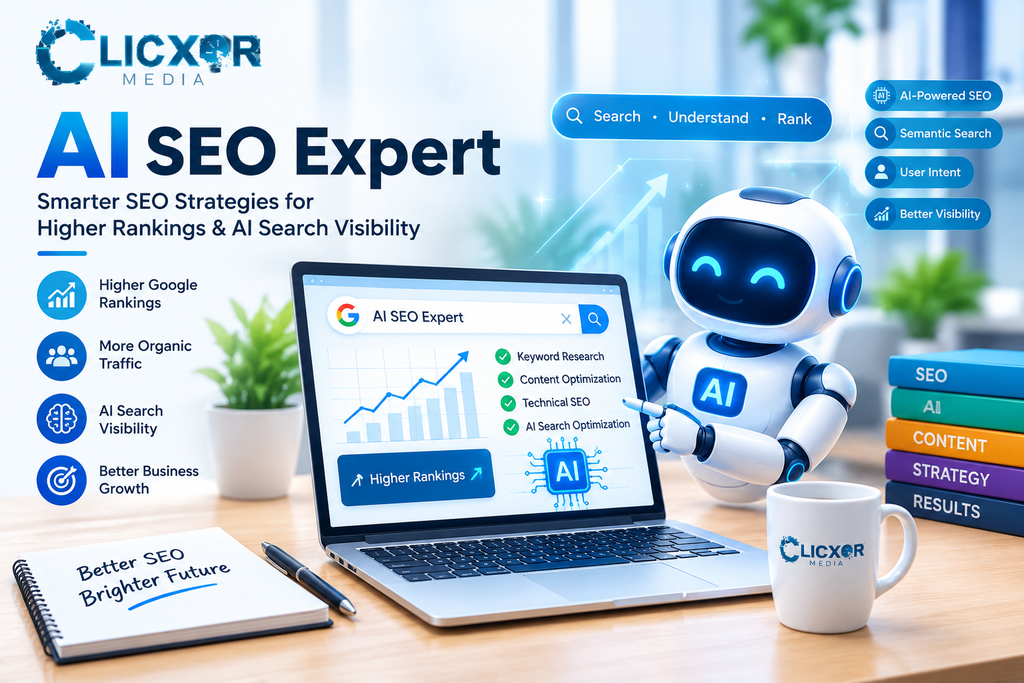
AI SEO Expert: AI-Powered SEO for Businesses 2026

How people find information online has changed drastically with the rise of AI-powered chatbots. Gone are the days when the primary focus of search engine optimization (SEO) strategies was placing the right keywords on the right pages. Now, businesses need to also understand how search engines process user intent, organize and understand the structure of a website, and interpret business information. An AI SEO expert is the answer to these challenges. An AI SEO expert uses traditional SEO knowledge, artificial intelligence and data, and modern search engine optimization and web performance strategies to make a website more visible to the right audience. Ultimately, the goal is for the website to acquire relevant visitors, provide the information the visitors are looking for, and facilitate a positive user experience. For businesses that are having issues with low rankings, no or declining organic traffic, and poor online visibility, an AI-supported SEO strategy can help address these issues and offer recommendations on how to resolve them. This article covers an AI SEO expert’s role, the impact of AI on SEO, the focus areas of an effective SEO strategy, and how to choose the right SEO partner. What Is an AI SEO Expert? An AI SEO expert is an SEO professional who incorporates the use of artificial intelligence (AI) and machine learning (ML) in combination with traditional search engine optimization (SEO) methods to optimize websites. For instance, if a business website gets visitors but not many leads, an AI SEO expert can check a few things. The end goal is to use the AI and human expertise combination to make the right SEO decisions. How is AI Transforming Traditional SEO? Traditional SEO is based on many factors and focuses on making website pages relevant to search engine queries and getting search engines to properly crawl, index, and understand them to ultimately rank them. With the adoption of AI, some of these factors are evolving. 1. Evolving Keyword Research AI tools help with search queries, long-tail keywords, and questions people ask before making a purchase. An agency specializing in SEO services may uncover the following questions: These questions mean there are different requirements from different users. By creating content related to these questions, the user can be guided along their buying journey. 2. Better Search Intent Analysis In some cases, through keyword research, the digital marketer can understand what the customer is really searching for. Someone searching for “best SEO company” may be interested in comparing agencies, whereas someone searching for “SEO audit for my website” may already be looking for an agency to hire. AI research can help group keywords according to their intent, e.g., informational, commercial, navigational, or transactional. This can help businesses create the right pages to satisfy the correct customers instead of making irrelevant pages. 3. Content Improvement With the help of AI tools, content editors can find topics that are missing, identify content that is unclear or vague, find content that is lacking, and assess opportunities for improvement. The editor needs to check and verify the accuracy and relevance of the content generated before publication. Every important page needs to provide essential information, provide clear explanations, answer questions, and help users in an original and unique way. 4. Faster SEO Data Analysis SEO takes a lot of time to do thoroughly, as there is a lot of data to analyze, e.g., from Google Search Console, Google Analytics, keyword research tools, etc. With the help of AI tools, data can be sorted and performance analyzed in a simpler way. For example, it identifies pages that have impressions but a low click-through rate or keywords that drive traffic but don’t lead to enquiries. These help prioritize work. What Services Does an AI SEO Expert Provide? An AI SEO expert should look at more than where to strategically place keywords. They should assess the user experience across the whole website. 1. AI-Powered Keyword Research Successful keyword research is the basis for great SEO. An AI SEO expert looks at the elements of search (demand, intent, competition) and combines that with what the business provides (services, offerings) and what the user is looking for (search terms) to come up with keywords. This research may include: The goal is to create opportunities to reach the target audience, get them interested in the services/products offered, and motivate them to purchase or get additional information. 2. Technical SEO Assessment Even the best content can’t achieve results if the search engine can’t figure out how to access the pages or understand what the content is about. Technical SEO helps identify and resolve issues around crawling and website accessibility. An AI-powered technical SEO assessment may look at: After an issue is found, the SEO expert should check that the issue is correct and give recommendations on how to fix it. 3. AI-Assisted Content Optimization Instead of using keywords verbatim, content should aim to address the questions behind those keywords. An AI SEO expert can audit content on a website and let the business know if it doesn’t meet the expectations of the audience. This can include modifying and reorganizing content to provide additional information. A website that offers web development services needs content covering the web development process and the various technologies, as well as the scope and type of projects and businesses the web development firm works with. Having this information allows the website to be useful to its audience and potentially gain customers without the need to contact the website. 4. Competitor Analysis Knowing what the competition has allows a business to fill information gaps on its website. Using AI to compare competing web pages can show gaps in content and keyword coverage and identify poor content structure. Relying on what the competition does, however, is not a sound strategy. Rather, competitor analyses should show gaps in content that explain processes, services, products, and descriptions. Doing this can strengthen a website and provide more, and better, information for its users. 5. AEO and GEO Optimization People are […]

digital marketing services in kanpur
Uncategorized

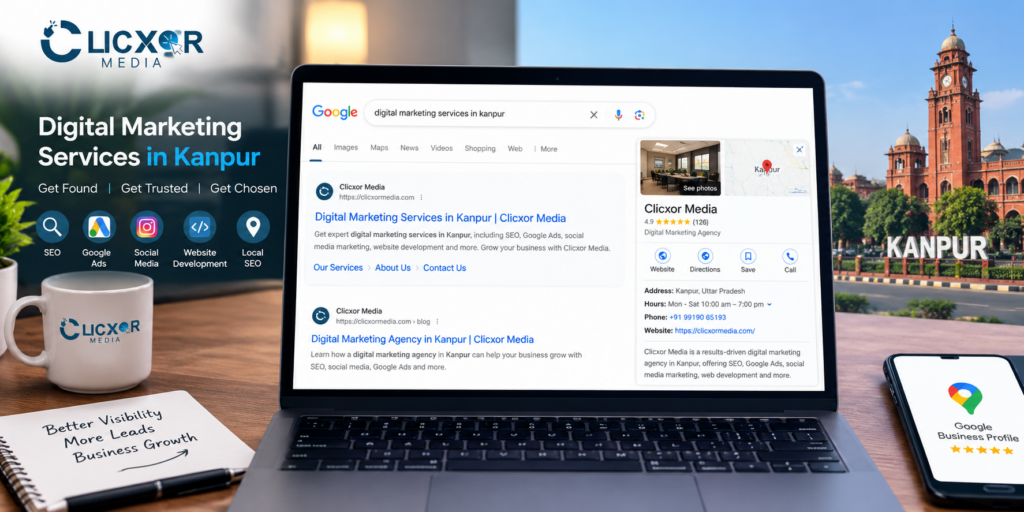
Digital Marketing Services in Kanpur: The Ultimate Guide to Business Growth

Digital marketing services in Kanpur are growth services that help businesses get found, get trusted and get chosen by their potential customers online, via Google, Maps, Social Media, Artificial Intelligence (AI) based search tools, websites and other online platforms. These services are SEO, Google Ads, Social Media Marketing, Content Marketing, Website Design and Development, Conversion Optimization and Reporting. A digital marketing agency in Kanpur like Clicxor Media implements these growth services to help businesses achieve sustainable growth. Unlike traditional marketing, every rupee a business spends on Clicxor Media’s digital marketing services is tied to an enquiry, a call, a visit or a sale. In this guide, you will learn: What Is Digital Marketing? And What Digital Marketing Services Include? Digital marketing is promoting your business using online channels such as search engines, websites, social networks, messaging apps, and other online platforms. The services related to digital marketing are creating and using online channels for business promotion including setting up and using online platforms, research, strategy, content, advertising, and tracking. Complete service stacks generally consist of: Service What It Does Best For SEO (Search Engine Optimisation) Achieves long-term, free rankings on Google All businesses with a website Local SEO and Google Business Profile Wins “near me” and Maps results Clinics, coaching, shops, restaurants Google Ads (PPC) Quickly generates leads Businesses wanting enquirers immediately Social Media Marketing Drives leads and builds brand Retail, D2C, education, real estate Content Marketing Answers customer questions, builds authority B2B and service businesses Website Design and CRO Improves site conversions All above Reporting and Analytics Measures success All above SEO without a conversion-ready website is wasted traffic. Ads without tracking are budget wasters. Content without a plan is unread. Dots need to be joined. Digital Marketing Agency vs Digital Marketing Company vs Freelancer in Kanpur There is very little difference between an agency and a company in the eyes of a customer. From a legal perspective, the terminology makes a great deal of difference. The difference between the two is the team structure and how accountable staff are. Freelancer: Inexpensive option, personal service, but has only one main skill. Not scalable and risky if unavailable. Agency: Flexible, closer to the business owner, usually more accountable for results. Large companies: More processes, wider range of services, higher fixed costs, and sometimes junior staff doing the day-to-day work. What to prioritize: Focus on the people who will actually be working on your account and how your results are measured. Also, consider how frequently you get honest feedback. Deciding factors should be based on actual merit and not the “agency” or “company” label. Why Kanpur Businesses Need Digital Marketing in 2026 Kanpur is one of Uttar Pradesh’s largest commercial cities. It has a strong base in the leather, textile, chemical, education and health care sectors and a growing base of startups, online sellers, and other businesses. Customers in the city use their phones to do research before they make a purchase or contact a business. For businesses in Kanpur this means: Kanpur, India: Marketing Strategies, Online Business and Guided Tours Kanpur is not one market. A buyer in Civil Lines, a B2B buyer in Jajmau, a family shopper in Govind Nagar, and a student in Kakadeo shop differently. Best Digital Marketing Agencies in Kanpur localize keywords, creatives, landing pages and offers as per the locality and target audience. Kanpur has one of the fastest growing economies and prominent industries in Uttar Pradesh. It is home to some of the most reputed business schools, film schools and engineering colleges in North India. With this knowledge, we use Digital Marketing strategies to boost our clients’ online business and guided tours. Our core digital marketing services include Search Engine Optimization (SEO), Local SEO, and Google Ads. Search Engine Optimisation (SEO) SEO is a game changer for businesses in a competitive industry like Kanpur. Effective SEO breaks down into four core areas: SEO has a compounding effect. When a page ranks, it produces leads organically. Local SEO and Google Business Profile We take the approach of turning your Google Business Profile into a website and optimizing it for Local SEO. We take a holistic approach by incorporating photos, posts, and reviews and ensuring name, address and phone details are consistent across all directories. Google Ads (PPC) Paid Advertising is permitted while SEO compounds. Implement effective location targeting for competitor keywords. Focus on call and form tracking. We adjust budgets and bids regularly. Our combination of PPC and SEO allows clients to gain first mover’s advantage and dominate the competition. Social Media Marketing and Meta Ads For categories like fashion, food, real estate, interiors, events, education and D2C; Instagram and Facebook work really well as visual and impulsive platforms. Services cover content strategy, planning and creation, community management and lead generation. Content Marketing Content marketing involves using content to build trust with your potential customers. This can be done with service pages, how-to and comparison articles, FAQs and case studies. Web Design and Optimisation (CRO) A website should focus on conversions and take a mobile-first approach. The website should have clear and bold offers and calls to action, social proof (testimonials, results, logos) and a simple contact form. Analytics and Reporting Tracking should be done for calls, form fills, WhatsApp messages and purchases. A clear and simple report should be given that explains what happened in the previous month and what’s expected to happen in the next month. Explaining SEO, AIO, AEO and GEO (Changes in How Search Works) In the world of search, ten blue links are not the end-all be-all. People can receive their Google AI Overviews, Answers and other AI Assistants. A modern digital marketing agency in Kanpur should be able to optimize for all channels. What Is AIO (AI Optimization)? AIO is optimizing your content and brand signals to ensure that AI Overviews and Assistants can understand your information, gain trust and feature it. What Helps AIO? What Is AEO? Answer Engine Optimization (AEO) is creating content to feature as […]

Uncategorized

Why Is Your Website Slow? Common Problems and Fixes

Have you ever found yourself opening your website and then waiting for several seconds for it to load? Your visitors could be having the same issue. A slow website can lead to potential customers becoming frustrated, result in lower levels of engagement, and make it more difficult for people to carry out key actions such as filling in a contact form, buying a product or calling your business. If you’re asking yourself why your website is so slow, the possible reasons could be anything from large images and a excessive number of plugins to bad hosting, inefficient code, or slow server responses. It can happen that a number of minor problems together cause a noticeable slowdown. Website speed is more than just a technical issue; it’s an important factor in providing a good user experience. Although Google suggests that Core Web Vitals be monitored and that the page experience be improved, it must be noted that having good performance scores by themselves does not ensure better search rankings. The following guide will explain the most common reasons why websites load slowly, show you how to identify the actual problems involved, and advise you on the practical measures that can be taken to improve performance. Why is my website taking so long to load? Your site could be slow due to it having large images, unnecessary JavaScript, too many plugins, an overloaded server, poor caching, or a database that has not been optimised. Network conditions and third-party scripts can also have an effect on how fast the page loads. The appropriate solution varies according to the point at which the delay takes place. For instance, if the first response is slow this could point to a problem with the server or the backend, whereas if the page appears quickly but then becomes hard to interact with this might be due to excessive JavaScript. Before you install any further optimization plugins or switch to a different hosting plan, check your website’s performance in order to determine the real cause. 1. Images that are large and not optimized Images frequently account for a large part of the total size that a website has to download. Banners of high resolution, portfolio pictures, product photographs, and background graphics are capable of slowing down a page when they are larger than they need to be. For instance, uploading an image that is 4 MB in size to show it only at a small scale on a mobile screen will waste bandwidth and cause the page to take longer to load. How to fix it When you are using WordPress, make sure to optimize the images that you already have and set your image optimization options with care. Do not compress the same images more than once using several plugins. 2. There are too many plugins and third-party scripts Plugins make it easier to manage a website, especially when using WordPress. Yet they can cause extra CSS, JavaScript, database queries, and external requests if they are badly coded or are not needed. The same problem arises in the case of live chat widgets, advertising pixels, analytics tools, social media feeds, pop-ups, and embedded videos. The fact that a website has a large number of plugins doesn’t mean that it will be slow; what matters are the items each plugin loads, the efficiency with which it operates, and whether the functionality it provides is necessary. How to fix it When a performance problem occurs following the installation of a new plugin, it is useful to compare the results before and after the change in a staging environment; this will help in identifying the cause without disrupting your live website. 3. Slow web hosting or a slow response from the server The server that you use has to handle requests and provide the content for the website. A website which is well designed can still load slowly if the hosting environment has inadequate resources or if it takes too long to respond. Typical problems relating to hosting are overloaded shared servers, a limited number of PHP workers, insufficient memory, poor database performance, and server settings that are not appropriate for the website’s traffic. How to fix it You shouldn’t upgrade the hosting service simply because of a low performance score. First of all, you need to establish whether the server is in fact the bottleneck. A big front-end page can still be slow even if the server is expensive. 4. The absence or wrong caching Caching enables a website to reuse content that has already been generated rather than carrying out the same process each time a visitor comes to it. If a dynamic website does not use caching, it may have to carry out database queries, run PHP code, and produce the same HTML pages again and again. This in turn will increase the workload on the server and cause subsequent visits to become slower. How to fix it Consider these caching options: WordPress users should look at caching at the hosting level or use tools such as LiteSpeed Cache if these are compatible with their server setup. Once you have altered the caching settings, clear the existing caches and then test the key pages. Make sure that the experiences for logged-in users, the contact forms, the shopping carts, and any other dynamic features have not been disrupted by the caching. 5. Too much JavaScript and CSS JavaScript is responsible for enabling interactive features, animations, sliders, menus, and a great many other components of modern websites. CSS handles layout and styling. The drawback is that large or inefficient files can cause a delay in rendering and interaction. Certain websites include scripts which are not needed for the page presently being viewed, while others have unused CSS, resources that block rendering, or animations which take up excessive processing time on mobile devices. How to fix it When you combine, delay or minify files, be careful because some themes and plugins depend on a specific loading order and aggressive […]

business website features
Website Development

10 Essential Features Every Business Website Should Have in 2026-2027

A business website goes beyond simply having an online presence. The right business website features help potential customers explore your company, compare your services, assess your expertise, and decide whether they can trust your business. Just because you have launched a website doesn’t mean that you will get inquiries or sales. A website which has confusing navigation, slow loading speeds, out-of-date information, or no means of contacting you can cause visitors to leave before they have worked out what your business does. In 2026 businesses will need websites which have a professional design, offer a good user experience, are search engine optimised (SEO), are secure, are accessible and are able to generate leads efficiently. These websites should also give clear and useful information that can be understood by search engines and by answer engines powered by AI. No matter if you are running a startup, a local business, a professional service firm, or an established brand, knowing about the key features of a business website can help you establish a more solid digital base. This article will look at ten important website features, explain the reason why they are important, and provide some practical methods for putting them into effect. What will the most important features of business websites be in 2026-2027? The key features of a good business website are mobile-responsive design, a fast loading speed, clear calls to action, easy navigation, secure contact forms, trust-building content, an SEO-friendly structure, accessible design, the ability to track analytics, and the provision of useful content for customers. These features collectively enable companies to provide a reliable online experience, enhance discoverability, and convert website visitors into potential customers. 1. Mobile-Responsive Website Design Mobile responsiveness is one of the most important features that every business website should have, since customers can come across your business through Google Search, on social media, in online advertisements, or via shared links on their smartphones. People may have difficulty reading the text, navigating the menus, viewing the images, or filling in enquiry forms if your website does not adapt correctly to smaller screens. Google also indexes and ranks the mobile version of web page content, which makes it important to consider mobile usability when carrying out SEO. What needs to be included in a mobile-friendly website? For instance, a customer who is looking on their phone for a web development company should be able to find out about your services and get in touch with your team without having to scroll unnecessarily or feeling frustrated. Here’s a practical tip: Make sure to test your website on a variety of screen sizes and on actual mobile devices, and check the homepage, the service pages, the contact forms, and the navigation rather than limiting yourself to just one page. 2. The website loads quickly and has good performance. The speed of your website affects how easily visitors can access your content; a slow website can disrupt the customer journey, in particular when users have poor connectivity or are using mobile devices. Performance is also important for search visibility since Google advises good Core Web Vitals as part of providing a positive page experience, even though achieving these metrics does not ensure better rankings. The Core Web Vitals thresholds recommended by Google are a Largest Contentful Paint (LCP) of 2.5 seconds or less, an Interaction to Next Paint (INP) of 200 milliseconds or less, and a Cumulative Layout Shift (CLS) of 0.1 or less. How to improve website speed A business website doesn’t need complicated animations or very large visual elements in order to appear professional. A simple design using optimized images can offer a better user experience while still maintaining your brand identity. Here’s a practical tip: Don’t forget to test your website’s performance on both mobile and desktop systems, since a good desktop score doesn’t guarantee that it will perform just as well on a smartphone. 3. Clear actions that prompt the reader to respond A visitor need not try to work out what to do when they arrive at your website, since clear calls to action will lead them to carry out important actions such as asking for a quotation, booking a consultation, making a purchase, or getting in touch with your team. Even if a website is appealing, it might have difficulty in obtaining enquiries unless there is a clear next step. Examples of effective calls to action Put your main call to action in a location where visitors can easily see it, for example in the website header, next to the main headline, and following the relevant service information. The call to action should correspond with the purpose of the page; for example, a page offering web development services might ask visitors to request a project estimate, while an educational blog post could urge readers to go to a related service page. Do not include multiple competing buttons in the same area, and make it clear what the main aim of each page is. Here’s a practical tip: keep record of clicks on calls to action and of completed enquiries in order to work out which placements and messages lead to meaningful business results. 4. Simple navigation and a user-friendly structure Good website navigation enables visitors to find the information they need quickly; if users are unable to locate your services, details about the company, pricing information, or means of contact, they might leave without looking any further. Because the website is well organised, it simplifies the customer journey and enables search engines to discover the relationships between your pages. Essential navigation elements The menu you end up with will vary according to your business model; for example, a small consulting firm might need only a few essential pages, whereas an e-commerce business could require product categories, filters, account access, and customer support options. It is better to use descriptive menu labels rather than general ones; for instance, ‘SEO Services’ says more clearly than ‘Solutions’ when visitors are looking for search engine optimization services. […]

SEO vs Google Ads vs social media
Uncategorized

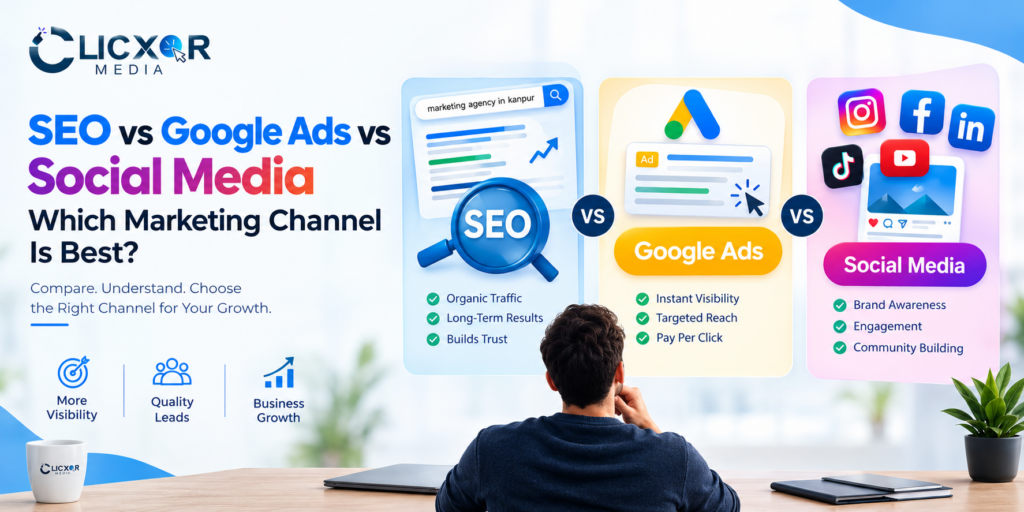
SEO vs Google Ads vs Social Media: Which Marketing Channel Is Best?

SEO vs Google Ads vs Social Media: Which Marketing Channel Is Best?Choosing the digital marketing channel can really impact how fast your business grows. You might have a website, a solid product and dependable service. Still you could be having trouble getting visitors or finding quality leads. Sometimes the issue isn’t your business all. It’s that you’re using the marketing method for what you want to achieve. When you look at SEO Google Ads and social media marketing each one works differently to connect with customers. SEO helps your website appear in search results without paying for ads. People find you naturally when they search for things you offer. Google Ads lets you show your business to people who are actively looking for your products or services. You pay for each click or impression. Social media marketing is about building brand awareness creating connections with your audience and getting people to interact with your content. So which one should you pick? Should you go with SEO for long-term results? Use Google Ads to get leads ?. Focus, on social media to grow your brand? The right choice depends on your audience, your budget, how competitive your market’s how long your sales process takes and what your business wants to achieve. In this guide we will compare all three channels look at what each one does point out the things that limit them and help you decide where to put your marketing money. What Is the Difference Between SEO, Google Ads, and Social Media? I think SEO, Google Ads and social media marketing are three digital marketing channels but SEO, Google Ads and social media marketing each have a different purpose. SEO helps your website appear higher in free search results. I see that SEO means making your site easier for search engines to read and find. SEO fixes content, improves speed links pages inside your site and does tweaks so that Google and other engines can understand what your pages are about. Google Ads is a paid platform that lets businesses show ads when people search for words or on other sites. I notice that Google Ads usually costs when someone clicks on your ad depending on the bidding model you choose. Social media marketing uses places, like Instagram, Facebook, LinkedIn and YouTube to show a brand, share posts talk with followers and bring in leads or sales. I find that social media marketing uses both posts and paid ads. I think the main difference is how SEO, Google Ads and social media marketing find customers. SEO captures search interest Google Ads fights for paid spots and social media marketing reaches and influences people with posts and targeted campaigns. 1. What Is SEO and How Does It Work? SEO stands for Search Engine Optimization. It is the process of improving a website so that relevant pages can appear prominently in unpaid search results. For example imagine someone searches for ” marketing agency in Kanpur.” If your agency has a optimized website, useful service pages, relevant local information and credible content it may become visible, for that search. SEO does not guarantee rankings. Results depend on competition, website quality, relevance, technical health and many other factors. Benefits of SEO 1. Builds long-term organic visibility A useful page that ranks well can bring in the kind of visitors for a long time. Unlike an ad that stops getting shown once the campaign ends a page that ranks organically keeps bringing in traffic on its own. It stays strong long as it stays relevant and useful. 2. Attracts people actively searching for solutions SEO can bring your business closer, to users who are looking for services, products or answers. If someone is searching for “website development company ” that person may already be evaluating providers. 3. Supports trust and credibility Helpful content, business information, relevant case studies and a good website experience help potential customers evaluate your expertise before they contact you. I notice that this approach lets people see how well you can help them.. 4. Creates opportunities for consistent lead generation I have seen how targeted service pages and informative blogs pull in visitors when visitors first start thinking about buying. Then when visitors see conversion-focused pages visitors often send enquiries make calls or fill out form submissions. Limitations of SEO SEO is a job that needs work and patience. A new website might take months to get organic visibility but the time can differ a lot. When keywords are competitors SEO might need more content, technical fixes and building authority. SEO also requires watching. The need, for search, rivals and the engine itself can shift,. The rankings and traffic that SEO brings are not guaranteed. When Should You Choose SEO? SEO is a choice if your business wants to create natural traffic bring in customers who are looking for your services increase how visible you are, in your area and create a long-term way to get new leads. Check out Clicxor Media SEO services to see how a clear SEO plan can help your business be more visible online. 2. What Is Google Ads and How Does It Work? Google Ads lets businesses put ads on approved Google spots, such as Google Search. Search campaigns can help your business show up when people look for products or services, like yours. For example a company that offers website development can make a search campaign aimed at the questions. When users type those questions an approved ad might appear depending on the auction targeting, ad quality and other factors. Google Ads can bring traffic soon after a campaign gets approved and starts running.. Quick traffic does not automatically mean quick sales. Benefits of Google Ads 1. Faster opportunity to reach potential customers SEO normally needs time to create visibility. Google Ads can start showing impressions and clicks quickly after you launch. The actual delivery of Google Ads depends on approval, competition, budget, targeting and search demand. 2. Reaches high-intent audiences Search […]

Digital Marketing

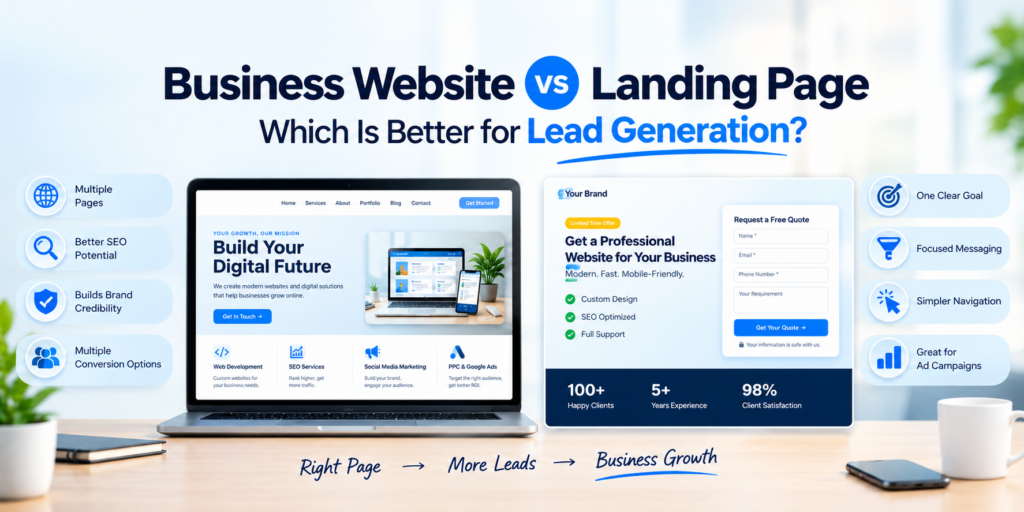
Business Website vs Landing Page: Which Is Better for Lead Generation?

Picture a customer typing a search into Google for a web development company. That customer goes to your website, looks at your services, reviews your portfolio, and reads about your business before reaching Now picture another customer clicking a Google ad and arriving on a focused landing page that offers a consultation and a simple enquiry form. Both visitors can become customers. Their online experiences differ. This is where the debate about website versus landing page becomes important. A business website helps people discover, understand and trust your company. A landing page, on the hand, directs visitors toward a specific action, like booking a call, asking for a quotation or sending their contact details. So which option is better for generation? The answer depends on your business goals, traffic sources, marketing budget and the customer journey. In situations the best strategy is to use a well‑designed business website for long‑term growth and to use dedicated landing pages for specific campaigns that drive lead generation. In this guide, you will learn the differences between a business website and a landing page, the advantages of each, the costs to consider and how to choose the option for your business. What Is a Business Website? A business website is a space that shows who you are what you do and how people can reach you. It answers questions customers might have and gives them clear ways to get in touch. Most of the time a website has pages and each one has its own job. For instance a digital marketing agency might have a homepage that gives an overview. Then there’s an About Us page that shares the story of the company. There could be a page for SEO services, another for web development and a portfolio to show past work. A blog helps share tips and ideas and the Contact Us page makes it easy for people to send a message. Every single page plays a part in helping visitors learn more about the business. One page might focus on services, another, on success stories. Each one adds a piece to the picture of what the company stands for. Key Features of a Business Website A business website is especially helpful for companies that want customers to find them on Google learn about their skills and check their services before deciding. For example someone looking for website development services, in Kanpur may want to see providers learn how they work, look at past projects and ask for a quote. A full business website can provide all these answers in one place. What Is a Landing Page? A landing page is a web page built with one main goal in mind. That goal could be to get people to ask questions schedule a meeting sign up for something or take advantage of a deal. It’s different from a website because it keeps things simple. There are no links or menus to confuse visitors. Everything on the page points toward one action. For instance a company that builds websites might run a Google ad to reach people in e-commerce. They could design a landing page, for business owners who want to start selling online. On that page you might see a headline, a list of benefits samples of past websites they’ve made a short form to send a message and a button that says “Get Your Website Quote.” All of it is meant to guide the visitor to take the step. Key Features of a Landing Page A landing page does not have to be a separate website or domain. It can be published as a page within your existing website. The key difference is its purpose: a business website supports multiple user needs, whereas a dedicated landing page focuses on a particular action. Website vs Landing Page: Key Differences The following comparison explains how the two options differ in terms of marketing, design, SEO, and lead generation. Comparison Factor Business Website Landing Page Main purpose Present the complete business Encourage one specific action Structure Usually multiple pages Usually one focused page Navigation Multiple menu options Limited or simplified navigation Content Company, services, portfolio, FAQs, and more One offer, audience, or campaign SEO potential Supports multiple keywords and search intents Can target a specific topic or offer Paid advertising Can work, depending on the destination page Often useful for focused ad campaigns Brand building Supports broader brand discovery Reinforces a specific campaign message Lead generation Offers multiple conversion paths Directs visitors towards one primary conversion Best suited for Long-term business growth Targeted campaigns and offers Expansion New pages and sections can be added New campaigns may require additional pages Important: A landing page does not automatically generate more leads than a business website. Results depend on traffic quality, offer relevance, page speed, messaging, user experience, and the effort required to convert. Which Is Better for Lead Generation? There is no winner. The right choice depends on where your visitors come from and what they need before contacting you. 1. Choose a Business Website for Organic Lead Generation If you want potential customers to find your business through Google searches having a complete website is usually the starting point. You can build pages for each service you offer and share helpful articles that answer common questions people might have. Every page that matches what someone is looking for can bring in visitors who’re interested, in that specific topic. For example a web development company could create pages for: These pages help people who might want to use your service figure out what they need before they ask for more information. A website also lets visitors have chances to check out your business by showing real projects details about the work you do how to get in touch and clear ways to see how things work. To get customers in a way that keeps going over time focus on good information, search engine optimization links, inside the website making sure it works on phones and […]

Google Business Profile optimization Kanpur
Digital Marketing

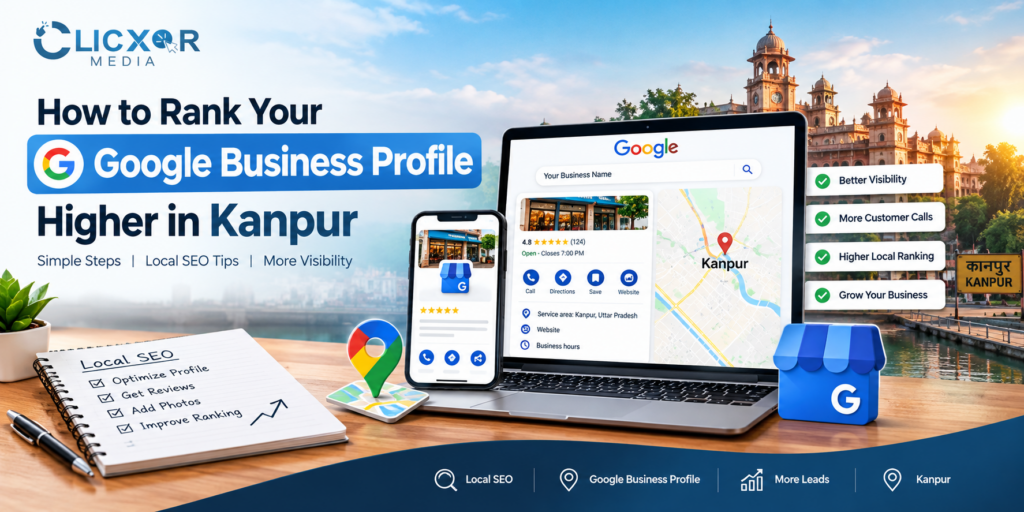
How to Rank Your Google Business Profile Higher in Kanpur

Introduction When people search for a service on Google, they often look at Google Maps and local business listings before visiting a website. Many customers check Google Maps first when looking for a trusted local business. Whether someone needs a marketing agency, a dentist, a coaching institute, a restaurant, or a home repair service, appearing in relevant local search results can help a business attract potential customers. For businesses in Kanpur, Uttar Pradesh, Google Business Profile optimization Kanpur is an important part of a local SEO strategy. An optimized Google Business Profile helps customers discover a business, understand its services, check opening hours, read customer reviews, and contact the business directly. Maintaining accurate and up-to-date information is essential for building customer trust. However, simply creating a Google Business Profile does not guarantee higher rankings. Business information must be accurate, categories must match the services offered, and the online presence should demonstrate relevance and credibility. Incorrect categories or incomplete information may make it harder for customers to understand a business. This guide explains how to improve a Google Business Profile, strengthen your local SEO strategy, and build a more trustworthy online presence in Kanpur. By following these best practices, businesses can improve their chances of being discovered by relevant local customers. If you need professional assistance, Clicxor Media’s SEO services can help you explore a broader strategy for improving your website’s organic visibility and local search performance. What Is Google Business Profile Optimization? Google Business Profile optimization is a way to make your business listing clearer so that Google and potential customers can understand your business better. Google Business Profile, which used to be called Google My Business lets eligible businesses manage their presence on Google Search and Google Maps. Google Business Profile optimization involves activities, including: Choose the right main and extra business categories. Give business details and open hours. Explain your services clearly. Add business photos and useful updates. Collect customer reviews and reply to feedback. Keep your website and business details consistent. Watch performance and customer interactions. For example a digital marketing agency in Kanpur should clearly state its SEO, website development, advertising and other relevant services of using a vague business description. The goal is to make your profile helpful for customers and relevant, to the searches that your business can truly serve. Why Google Business Profile Optimization Matters for Businesses in Kanpur Kanpur has a business environment. I notice that in Kanpur there are shops, schools, hospitals, factories, eateries, professional services and digital agencies. People in Kanpur may search with phrases such as SEO company in Kanpur. They also use precise queries like dentist near me or best coaching institute, in Kanpur. If a business keeps its profile clean and updated it will appear in these searches. The profile gives details and helps potential customers take action quickly. Key benefits of local SEO 1. Local discoverability: Your business can get a chance to show up in Google Search and Maps when people look for things in your area. 2. Informed customers: Up-to-date hours, details about the services you offer contact info and pictures let people know more about your business. 3. Trust: Real reviews from customers and replies to those reviews show that your business cares about what people have to say. 4. Easier enquiries: With the right profile features customers can call you ask for directions go to your website or do something that matters to them. 5. Local marketing insights: Data about how people find and use your business can help you learn more about your customers. These benefits depend on your business category if you are eligible how many others are, in your area, where you are located and how good your online presence is. 1. Claim, Verify, and Complete Your Google Business Profile The first step is to claim your existing profile or create one if your business is eligible and does not already have a listing. Complete Googles verification process. Make sure you have control, over the profile. If a listing already exists, check whether you can claim ownership of creating a duplicate. Fill in all the information accurately. This includes: Use your business name. Do not add keywords, locations or promotional phrases to the name unless they are truly part of your official business name. For example a company should not change its name to “Best SEO Company Kanpur Cheap SEO Services” just to get searches. Accurate information builds customer trust. Helps Google understand your business better. 2. Choose the Right Primary and Secondary Categories Business categories help Google understand what your business does. Your primary category should reflect your business activity as closely as possible. You can add categories only if they truly describe other real services your business offers. Don’t pick categories just because they seem popular or because others use them. For example if you run a marketing agency choose the category that best fits your main work. You may add categories only if they match your real services and are listed in Google’s options. A good tip: Look at the categories businesses, in Kanpur use. Compare them to what you do. Then pick the accurate choices available. Researching competitors can help,. Always follow Google’s rules, not their choices. 3. Write a Clear, Customer-Focused Business Description Your business description should clearly explain what you offer, whom you serve and what customers can expect. Use language instead of repeating the same keyword many times. Keep the business description factual, helpful and in line with your operations. For example a local SEO agency might say it helps businesses boost website visibility with SEO, content optimization, local SEO and Google Business Profile management. A business that serves Kanpur may mention its market naturally when it truly reflects its service area. Remember that adding a city name to a business description does not guarantee rankings. The purpose is to give information to potential customers. Also follow Google’s rules about claims and avoid unsupported statements like “guaranteed number one, on Google.” 4. […]

website development cost in India
Digital merketing

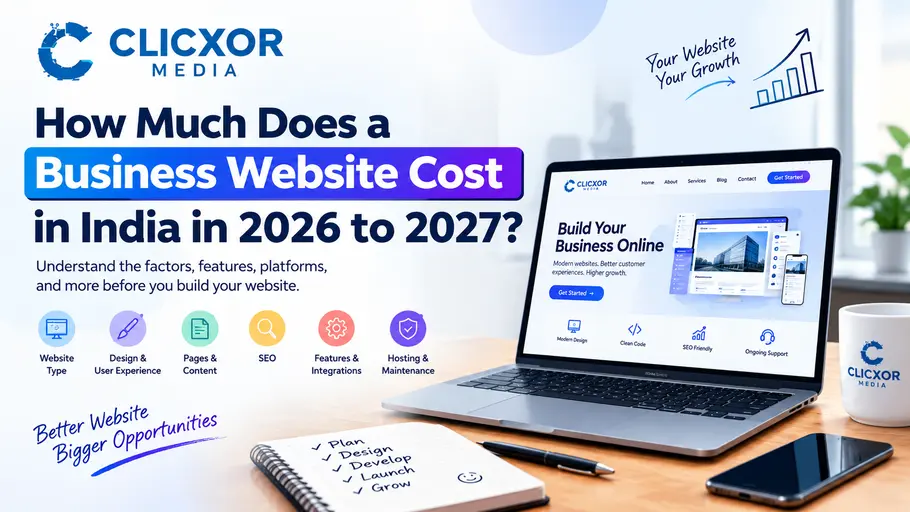
How Much Does a Business Website development Cost in India in 2026 to 2027?

Building a business website is one of the most important steps towards establishing a strong online presence. Whether you are starting a new business, running a local service company, or managing an established brand, a professional website helps people discover your business, understand your services, and contact you when they need your help. However, many business owners are unsure about the website development process. They want to understand what a website needs, which platform is suitable, what features should be included, and how to avoid unnecessary expenses or technical problems. When researching website development cost in India, it is important to look beyond the initial development work. Your website’s design, functionality, content, search engine optimisation, hosting, security, and maintenance all contribute to its overall requirements. In this guide, we explain the important factors involved in developing a business website in 2026, how to select the right development approach, and what you should consider before starting your project. Why Does Every Business Need a Professional Website? Customers often search online before contacting a business. They may want to understand your services, check your business information, compare available options, or find a convenient way to get in touch. Without a website, potential customers may find it difficult to learn about your business or understand what makes your services relevant to their needs. A professional website gives your business a central place to share accurate information and communicate with potential customers. Here are some important benefits of having a business website. Build Trust and Credibility A well-organised website introduces your business, explains your expertise, and provides relevant information about your products or services. Service descriptions, genuine customer testimonials, project examples, and clear contact information can help visitors understand your business better. Your website should present accurate information and avoid unsupported claims. A professional appearance is valuable, but useful content and transparent communication are equally important. Reach More Potential Customers A website allows people to discover your business through search engines, social media, online directories, and other digital marketing channels. For example, a customer searching for website development services in their city may discover a relevant service page through Google. Your visibility depends on several factors, including competition, website quality, search intent, and SEO performance. A website creates an opportunity to reach relevant audiences, but it does not automatically guarantee traffic or enquiries. Generate Business Enquiries Your website can help visitors take the next step through contact forms, telephone links, WhatsApp buttons, appointment requests, and other suitable calls to action. These features make it easier for interested visitors to contact your business without searching through multiple platforms. Support Long-Term Digital Marketing A business website provides a foundation for SEO, content marketing, paid advertising, email marketing, and social media campaigns. Instead of sending every visitor to a third-party platform, you can direct potential customers to relevant pages on your own website. What Determines Website Development Cost in India? The website development cost in India depends on the type of website you need, the complexity of the project, and the work required to deliver a reliable online experience. Understanding these factors helps you choose the right development approach. 1. Type of Website Different businesses require different website structures and functionality. A small service business may need a home page, about page, services page, and contact page. A digital marketing agency may need individual landing pages for SEO, social media marketing, PPC advertising, and website development. An online store requires additional functionality, such as product categories, shopping carts, payment processing, order management, and shipping integrations. Businesses with specialised requirements may need custom dashboards, booking systems, customer portals, or connections with external software. Before starting development, identify the main purpose of your website and the actions you want visitors to take. 2. Website Design and User Experience Website design affects how visitors interact with your business online. A good design makes information easy to understand and helps users move between pages without confusion. It should also reflect your brand’s identity through consistent colours, typography, imagery, and layouts. Important design considerations include: Avoid adding animations or visual effects simply because they look impressive. Every design element should serve a purpose and support the visitor’s experience. 3. Number of Pages and Content Requirements The number of pages influences the planning, writing, design, and testing involved in a website project. However, the objective should not be to create as many pages as possible. Each page should provide useful information and serve a clear purpose. For example, a business offering several services may benefit from separate service pages. These pages allow visitors to explore their specific needs and help search engines understand the website’s structure. Content preparation is also important. Your developer may need business descriptions, service information, images, case studies, frequently asked questions, and contact details before development can be completed. If you need professional content writing, keyword research, or detailed content optimisation, clarify whether these tasks are included in the project. Which Website Development Platform Should You Choose? Selecting the right platform is an important part of website planning. Your decision should depend on your business model, content management needs, technical requirements, and future growth. WordPress Website Development WordPress is a popular content management system for business websites, blogs, portfolios, and many service-based companies. It allows businesses to manage pages, publish articles, update images, and expand their websites using suitable themes and plugins. WordPress can be a practical option for businesses that want to publish regular content, create dedicated service pages, and build an SEO-focused website. However, the quality of the final website depends on its implementation. Unnecessary plugins, poorly configured themes, and excessive scripts can create maintenance or performance problems. Shopify for Online Stores Shopify is designed for businesses that want to sell products online through a managed e-commerce platform. It provides tools for managing product listings, processing orders, organising inventory, and operating an online store. Before selecting Shopify, review the available features, subscription arrangements, integrations, and any additional services required by your business. WooCommerce for E-Commerce Websites […]

Digital Marketing Leads
Digital merketing

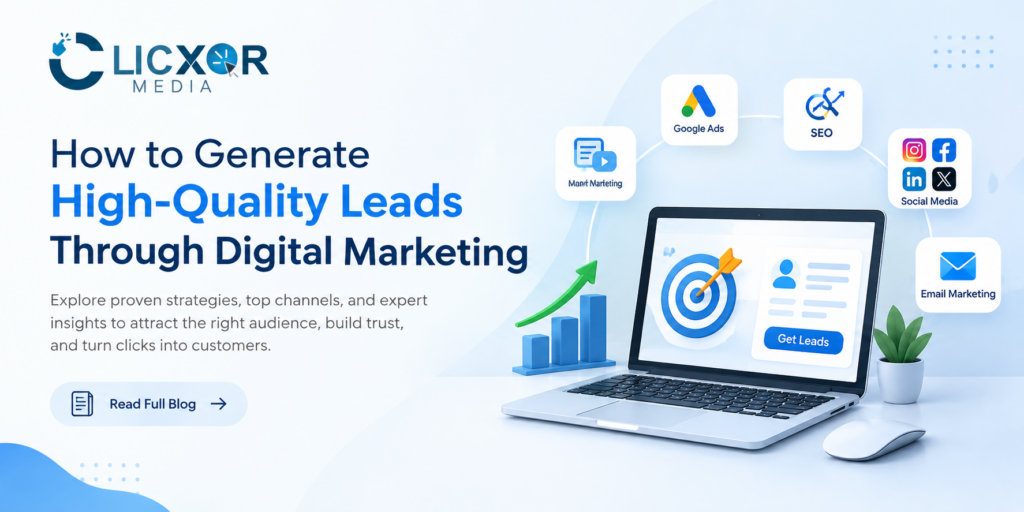
How to Generate High-Quality Leads Through Digital Marketing

Some businesses may get thousands of visitors every month and still not generate a single call, enquiry, message or request a demo. The hardest part is not getting website traffic. The hardest part is attracting the right people, gaining their trust, and simply giving them the opportunity to take the next step. This is where digital marketing lead generation comes in. Digital marketing lead generation refers to using different channels in the field of online marketing to generate business enquiries. These channels may include search engine marketing (SEM), social media marketing (SMM), content marketing, website marketing, email marketing, etc. Not all leads are created equal, and not all lead generation efforts are geared towards lead quantity. The goal is to generate better leads. A lead who has no interest in your service is a lead with no value. 5 qualified leads who are interested in your service, and understand your offer, are better than generating 50 leads with no interest and no value. This guide will teach businesses how to design a practical digital marketing lead generation strategy. It will cover the best channels for lead generation based on different situations, what improvements in lead quality mean and look like, how to recognize mistakes in lead generation strategies, and how to gauge the role that marketing plays in creating business growth. What is Digital Marketing Lead Generation? Digital marketing lead generation is capturing leads via digital channels, including getting them to give you their contact information or start a conversation with you. Depending on your business model, a lead could be someone who: The important thing to note is that generating leads connects the gap from marketing attention to potential business income. Take for example a company that sells professional services. An individual searches for a service they need. They come across the company, read about the service, see the company has an understanding of their issue, and make an inquiry. The journey, from the time they search to the time they make the inquiry, is all part of the lead generation process. The journey usually starts way before they make the inquiry, and a good lead generation system should take the whole customer journey into account: Awareness > Discovery > Trust > Consideration > Conversion > Follow up > Sale The aim is for the different stages to work in harmony. Why Lead Quality is More Important Than Lead Quantity One of the biggest mistakes businesses make is focusing on the number of leads a marketing campaign generates. Let’s say there are two campaigns. Campaign A produces 200 leads but only five are genuinely interested. Campaign B produces 50 leads, of which 15 are qualified prospects. Which campaign is better? Campaign B is usually better. Leads, qualified leads and customers are different in the eyes of a business. A lead may have shown some interest. A qualified lead belongs to the company’s target audience and has a requirement for the company’s product/service. A customer is someone who has bought from the company. Understanding these differences alters the digital marketing strategy. Typically the question is “How many leads can we generate?” The question should be “How many leads can we attract, qualify and convert profitably?” 10 Effective Strategies for Digital Marketing Lead Generation 1. Develop an Effective SEO Strategy One of the most effective and valuable channels for long-term lead generation is Search Engine Optimization (SEO). With SEO, businesses can guide potential customers to the information, services or products they want to find. Someone searching for: already has some level of intent. Coming up with landing pages and content to address that intent appropriately is the challenge. Your SEO lead generation strategy should include: Do not create pages just because a keyword has search volume. Create pages when a customer has a question, a problem, or a commercial need that your business can fulfill. For example, a business owner searching “what is digital marketing” might need more information, while a different searcher using the query “hire digital marketing agency” has more of a commercial intent. A natural flow between the two queries can be formed by bridging informational and commercial intent. Creating content to answer search queries is promoted by Google, and shows the search engine is values informative content that gives users answers rather than content just to manipulate rankings. 2. Use Google Ads for High-Intent Searches While SEO can be effective in the long-term, some businesses need a more immediate strategy. In these cases, Google Ads can be a viable alternative. As mentioned previously, someone using the query “what is digital marketing” has a different intent from someone using “hire digital marketing agency.” Both show the existence of a need, but the nature of the need is different. In these cases, the goal is not necessarily to ensure that a specific page ranks for a particular query, but to make sure that the pages are aligned with the offers closely related to the query. Another thing to think about for a complete campaign is: The quality of the landing page is equally as important as the ad. An ad can be designed to entice a user to engage with a particular service. If a user is then directed to a landing page that does not correlate to the ad, the user may leave without converting. The ideal situation is: Examples of useful elements include: Instead of having a generic “Submit” button, a business might want to consider using something along the lines of: “Request a Free Consultation” or “Share Your Marketing Challenges” An element like a CTA tells the user what to expect next. 3. Use Social Media to Build Demand and Trust Building demand means identifying the questions your potential client is not asking, but should be. Social media is great for creating this type of demand. The best strategies for using social media for generating leads, often includes: Using a blend of all of the above can create a healthier business, and help strengthen the […]

Follow Us On Social Platforms

© 2026 Clicxor Media. All Rights Reserved.

Scroll to Top