
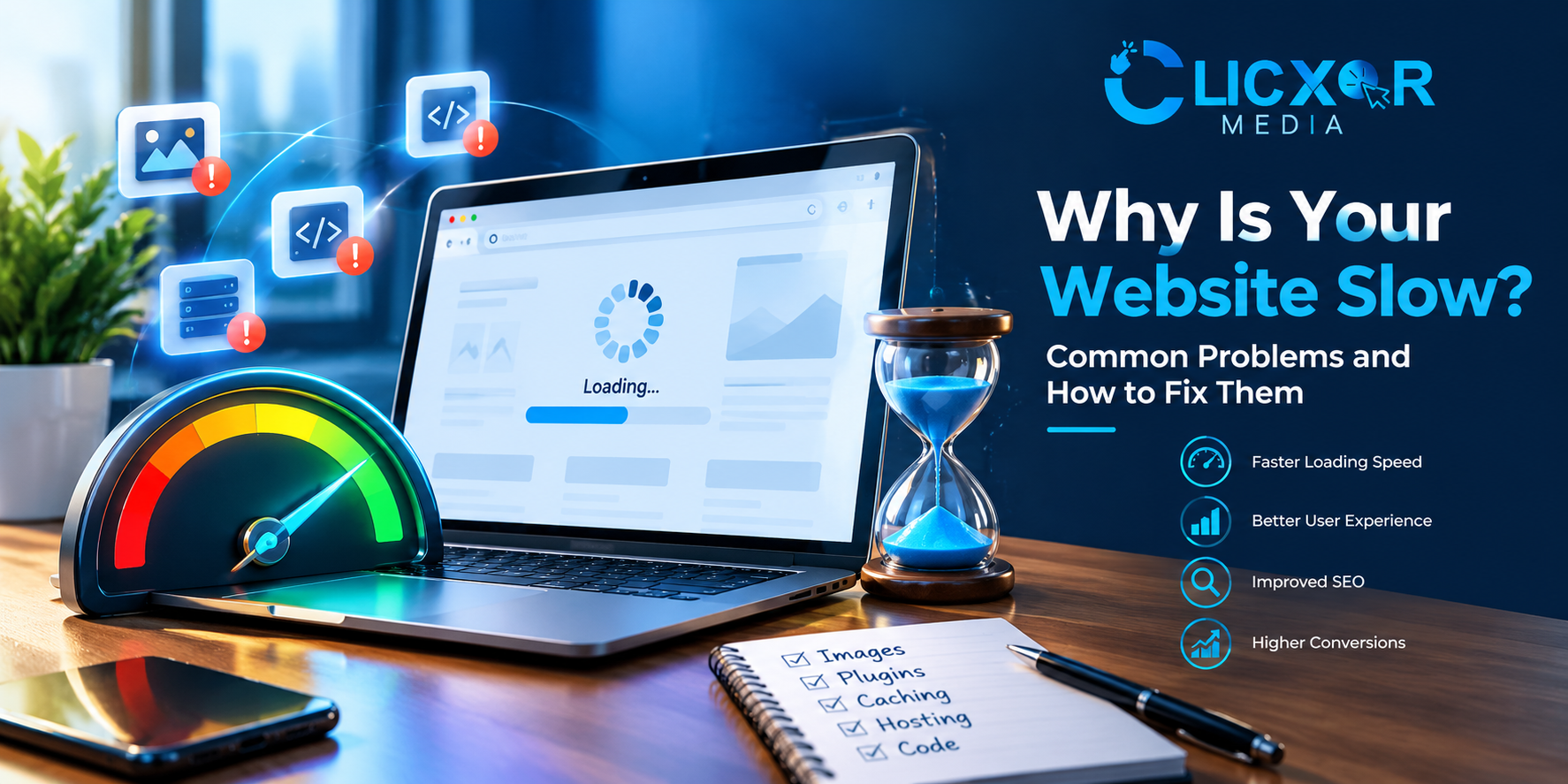
Have you ever found yourself opening your website and then waiting for several seconds for it to load? Your visitors could be having the same issue. A slow website can lead to potential customers becoming frustrated, result in lower levels of engagement, and make it more difficult for people to carry out key actions such as filling in a contact form, buying a product or calling your business.
If you’re asking yourself why your website is so slow, the possible reasons could be anything from large images and a excessive number of plugins to bad hosting, inefficient code, or slow server responses. It can happen that a number of minor problems together cause a noticeable slowdown.
Website speed is more than just a technical issue; it’s an important factor in providing a good user experience. Although Google suggests that Core Web Vitals be monitored and that the page experience be improved, it must be noted that having good performance scores by themselves does not ensure better search rankings.
The following guide will explain the most common reasons why websites load slowly, show you how to identify the actual problems involved, and advise you on the practical measures that can be taken to improve performance.
Why is my website taking so long to load?
Your site could be slow due to it having large images, unnecessary JavaScript, too many plugins, an overloaded server, poor caching, or a database that has not been optimised. Network conditions and third-party scripts can also have an effect on how fast the page loads.
The appropriate solution varies according to the point at which the delay takes place. For instance, if the first response is slow this could point to a problem with the server or the backend, whereas if the page appears quickly but then becomes hard to interact with this might be due to excessive JavaScript.
Before you install any further optimization plugins or switch to a different hosting plan, check your website’s performance in order to determine the real cause.
1. Images that are large and not optimized
Images frequently account for a large part of the total size that a website has to download. Banners of high resolution, portfolio pictures, product photographs, and background graphics are capable of slowing down a page when they are larger than they need to be.
For instance, uploading an image that is 4 MB in size to show it only at a small scale on a mobile screen will waste bandwidth and cause the page to take longer to load.
How to fix it
- Compress the images: decrease their file sizes without causing a noticeable reduction in visual quality.
- Use modern formats such as WebP or AVIF if your website and your workflow support them.
- Make sure to resize the images so that you don’t upload ones which are considerably larger than the size at which they are displayed.
- Turn on lazy loading: images that are below the visible part of the page should be loaded when they are approaching that area.
- Make sure to prioritize the main image: don’t use lazy loading for the hero image or for any other content that is responsible for your page’s Largest Contentful Paint.
When you are using WordPress, make sure to optimize the images that you already have and set your image optimization options with care. Do not compress the same images more than once using several plugins.
2. There are too many plugins and third-party scripts
Plugins make it easier to manage a website, especially when using WordPress. Yet they can cause extra CSS, JavaScript, database queries, and external requests if they are badly coded or are not needed.
The same problem arises in the case of live chat widgets, advertising pixels, analytics tools, social media feeds, pop-ups, and embedded videos.
The fact that a website has a large number of plugins doesn’t mean that it will be slow; what matters are the items each plugin loads, the efficiency with which it operates, and whether the functionality it provides is necessary.
How to fix it
- Check all the plugins that are installed and get rid of those that are not needed.
- Make sure to update the plugins and themes to the maintained versions.
- Make sure that more than one plugin does not carry out the same function.
- Eliminate third-party scripts that are not necessary for the page.
- Delay the loading of non-essential scripts until it is appropriate.
- After a suspected plugin has been disabled or replaced, test the website’s performance.
When a performance problem occurs following the installation of a new plugin, it is useful to compare the results before and after the change in a staging environment; this will help in identifying the cause without disrupting your live website.
3. Slow web hosting or a slow response from the server
The server that you use has to handle requests and provide the content for the website. A website which is well designed can still load slowly if the hosting environment has inadequate resources or if it takes too long to respond.
Typical problems relating to hosting are overloaded shared servers, a limited number of PHP workers, insufficient memory, poor database performance, and server settings that are not appropriate for the website’s traffic.
How to fix it
- Select a hosting plan that corresponds to the traffic and technical needs of your website.
- For WordPress, use a PHP version that is supported and properly configured.
- Caching should be enabled on the server side if it is available.
- Check the response time of the server and the amount of hosting resources it is using.
- Check the error logs to identify any recurring problems with the backend.
- If your present setup isn’t able to manage the amount of work, then you should consider going with managed WordPress hosting or a suitable VPS.
You shouldn’t upgrade the hosting service simply because of a low performance score. First of all, you need to establish whether the server is in fact the bottleneck. A big front-end page can still be slow even if the server is expensive.
4. The absence or wrong caching
Caching enables a website to reuse content that has already been generated rather than carrying out the same process each time a visitor comes to it.
If a dynamic website does not use caching, it may have to carry out database queries, run PHP code, and produce the same HTML pages again and again. This in turn will increase the workload on the server and cause subsequent visits to become slower.
How to fix it
Consider these caching options:
- Page caching involves storing the generated HTML so that it can be served more quickly.
- Browser caching enables the browsers of visitors to reuse eligible files such as images, stylesheets, and scripts.
- Object caching helps to avoid carrying out database operations repeatedly when the application and the hosting environment support it.
- By using geographically dispersed servers, eligible content is delivered.
WordPress users should look at caching at the hosting level or use tools such as LiteSpeed Cache if these are compatible with their server setup.
Once you have altered the caching settings, clear the existing caches and then test the key pages. Make sure that the experiences for logged-in users, the contact forms, the shopping carts, and any other dynamic features have not been disrupted by the caching.
5. Too much JavaScript and CSS
JavaScript is responsible for enabling interactive features, animations, sliders, menus, and a great many other components of modern websites. CSS handles layout and styling. The drawback is that large or inefficient files can cause a delay in rendering and interaction.
Certain websites include scripts which are not needed for the page presently being viewed, while others have unused CSS, resources that block rendering, or animations which take up excessive processing time on mobile devices.
How to fix it
- Get rid of any scripts and styles that are not in use when it is safe to do so.
- Compress the CSS and JavaScript in order to decrease the size of the files.
- JavaScript that is not critical should be deferred when suitable.
- For independent scripts that are appropriate, use asynchronous loading.
- Only include the critical CSS that is actually required for the first view.
- Cut down on extra animations and complicated visual effects.
- There is no need to include every page builder widget or library throughout the whole website if they are not required.
When you combine, delay or minify files, be careful because some themes and plugins depend on a specific loading order and aggressive optimization can lead to broken layouts or interactive elements.
Before applying changes to your site, test them on both mobile and desktop.
6. Poor Website Design and Heavy Page Builders
A badly designed website makes it hard for visitors to find what they need. If your site looks cluttered, loads slowly, or has confusing menus, people will leave quickly. Many popular page builders add extra code that slows down your site even more. This can hurt your search rankings and drive away users. To keep visitors happy, use a simple layout and remove any unnecessary tools or plugins.
A website which has an attractive appearance can still work badly if its design includes too many sections, animations, nested containers, sliders, pop-ups, and decorative elements.
Although page builders can make the process of developing a website easier, complicated layouts might cause extra markup and result in a greater number of assets being loaded than is necessary.
This applies especially to websites constructed using WordPress and Elementor.
How to fix it
- Begin by simplifying the sections of the page that visitors see first.
- Substitute the unnecessary sliders with one hero section that is properly optimized.
- Cut down on the excessive animations and scrolling effects.
- Do not repeat widgets and sections unless there is a clear reason for doing so.
- Wherever possible, use lightweight layouts.
- After having checked the dependencies, remove the unused templates and assets.
- Make sure that the mobile layouts are simple and easy to navigate.
It is possible for a website to be faster without having to give up its visual characteristics. The aim is to simplify the site by getting rid of any unnecessary complexity.
For businesses that are planning a new website or are carrying out a redesign, employing professional web development services can help in producing a website that is more maintainable, responsive and performance-conscious.
7. There is no Content Delivery Network (CDN)
A Content Delivery Network keeps and delivers website assets that are eligible by means of servers which are situated in various locations; this in turn reduces the distance over which the files have to travel between your website and the visitors.
For instance, if your hosting server is in one region but your customers are in India and other countries, using a suitable CDN could improve the delivery of static resources.
Yet a CDN cannot automatically overcome all speed problems since enabling it will not address oversized images, inefficient database queries, or heavy JavaScript.
How to fix it
- Find out where your visitors are located.
- Select a content delivery network that is suitable for your website and hosting configuration.
- Set up caching rules for the right static files.
- See if HTML caching suits your website.
- Check the SSL, the redirects, and the cache invalidation.
- After configuring the website, test it from a number of different locations.
Among the popular choices are Cloudflare and various other CDN providers; choose a solution according to your own requirements rather than supposing that all websites need the same setup.
8. An Unoptimized Database
The content of WordPress websites, including posts, page content, settings, information about plugins, and other data, is stored in a database. Eventually, unnecessary revisions, expired transient records, spam comments, and inefficient queries can lead to an increase in database overhead.
The impact differs from one website to another; having a large database does not mean that it is a slow one, and it is possible to damage the website’s functionality by deleting records without first understanding their purpose.
How to fix it
- Get rid of spam comments and any unwanted material.
- Check the expired transients and carry out unnecessary revisions where suitable.
- Find plugins that run costly database queries.
- When the database indexes and slow-query logs are available, check them.
- Turn on object caching if your hosting setup allows it.
- It is advisable to take a backup prior to carrying out database cleanup operations.
A developer might have to check the performance of queries rather than just using general cleaning tools when it comes to websites which receive a large amount of traffic or online shops.
9. Too Many Redirects and External Requests
Redirects take people from one URL to another and are useful for permanent changes in URL addresses, for enforcing the use of HTTPS, and for managing canonical URLs, but unnecessary chains of redirects add extra steps before the final page is loaded.
A website can also be made slower by external requests when the third-party servers respond slowly or do not load.
How to fix it
- Wherever possible, replace redirect chains with direct destination URLs.
- Make sure that the internal links are using the correct final URL.
- Check the SEO implications and get rid of any outdated redirects that are no longer needed.
- Look at the external fonts, the embedded maps, the video players, and the social widgets.
- Only load third-party content where it offers real value.
- Do not include any tracking scripts that are not necessary.
You should not delete important redirects unless you first check why they exist, since current redirects may retain traffic and backlinks from the old URLs.
10. Your website is not adapted for mobile.
Although a website may seem to load quickly on a powerful desktop computer it can feel slow on a mobile device that has limited processing power or is connected to a slower network.
The mobile experience can be especially frustrating due to large images, complicated layouts, heavy scripts, and oversized navigation elements.
How to fix it
- Design responsive layouts so that they adjust to various screen sizes.
- Provide mobile users with images that are the appropriate size.
- Get rid of any scripts and animations that are not necessary.
- Design buttons, navigation, and forms so that they are easy to use.
- Do not include pop-ups that obstruct significant content.
- The test should also be carried out in simulated environments as well as on actual mobile devices.
Mobile optimization ought to be included as part of the very first stage of development rather than being added as a last-minute change after the website has already been completed.
How to Check Why Your Website Is Slow
Before carrying out any technical changes, make use of reliable performance tools to get an understanding of what is going on.
Google PageSpeed Insights
Google PageSpeed Insights examines individual web pages on both mobile and desktop devices and gives performance diagnostics, suggestions, and field data when enough real-user data is available.
Use it in order to identify any potential problems relating to image delivery, JavaScript execution, rendering, and Core Web Vitals.
Google Lighthouse
Lighthouse offers diagnostic audits relating to page quality and other areas; it can assist developers in investigating issues with rendering, the loading of resources, and the execution of JavaScript.
Google Search Console
The report on Core Web Vitals in Google Search Console allows you to see how groups of pages are performing based on real-world data from Chrome users provided that sufficient data is available.
WebPageTest
You can use WebPageTest to examine how a page loads, the request waterfalls, and its performance under various testing conditions.
To make a meaningful comparison, you should test the same URL under similar conditions. When it is appropriate, carry out more than one test since network conditions, caching, server load, and the testing environment can all affect the results.
Understanding Core Web Vitals
Core Web Vitals are metrics used by Google for measuring various aspects of the real-world page experience.
| Metric | What it measures | Good target |
|---|---|---|
| LCP | the main content will load in 2.5 seconds or less. | 2.5 seconds or less |
| INP | Responsiveness to user interactions | 200 milliseconds or less |
| CLS | means unexpected layout movement. | 0.1 or less |
The evaluation of these targets uses the 75th percentile of page visits, taking into account mobile and desktop users separately. While lab tests can be used to detect issues, real-user field data gives a different insight into how visitors experience your website.
If you need any further guidance, you should consult Google’s documentation on Core Web Vitals.
It should be remembered that a high Lighthouse score does not ensure top search engine rankings, since Google takes into account a number of factors relating to relevance and page experience, and therefore speed optimisation should aim at making a website useful rather than become a contest to attain a perfect score.
Does a slow website have an effect on SEO and conversions?
A slow website can cause difficulty for users. They might leave without reading your content, looking around at your services, or making a purchase. Moreover, delays can make forms and navigation seem less responsive.
The fact that website performance is relevant to SEO is because Google includes Core Web Vitals in its ranking system. Yet speed is not the only factor that affects visibility; relevant content, technical accessibility, useful information, and the overall page experience are also important.
The practical aim for businesses is to enable visitors to get the information they require and carry out the actions they intend without causing them any unnecessary delays.
Instead of focusing only on a speed score, monitor meaningful outcomes such as:
- Contact form submissions
- Phone calls and enquiry clicks
- Product purchases
- Engagement with important service pages
- Mobile user experience
- Organic search performance
They allow you to judge if technical improvements are making the website more useful to real customers.
A Practical Website Speed Optimization Checklist
Apply this checklist in order to avoid making all the changes at once.
- Test the key pages using PageSpeed Insights.
- Compare mobile and desktop performance.
- Reduce the size of large images and provide the appropriate dimensions.
- Check plugins, scripts, and external requests.
- Check the response time of the host and its resource usage.
- Configure appropriate caching.
- Cut down on the JavaScript and CSS that is not necessary.
- Simplify complex page layouts.
- When indicated, look into any database or backend issues.
- Check the redirects and the CDN configuration.
- Forms for testing, menus, and other interactive elements.
- Test performance again and keep an eye on real user data as time goes on.
It is best to focus on the issues that impact the primary content, the important landing pages, and a large number of visitors; correcting a major bottleneck is generally more worthwhile than carrying out a number of minor changes which have only a small practical effect.
When is it a good idea to employ a professional web developer?
Simple tasks such as compressing images and getting rid of unnecessary plugins can usually be looked after by the owners of websites. However, more complicated problems will need a technical investigation.
If, after carrying out some basic optimisations, your website is still slow, if the server response is always poor, if JavaScript errors have an effect on the way the site is used, or if performance problems reappear after each update, then it would be advisable to seek professional assistance.
A developer should look into the hosting environment, the behaviour of the theme and plugins, the database queries, the rendering performance, and the caching configuration in order to determine the root cause.
Clicxor Media offers web development services for businesses that want a quicker and more reliable website, the aim being to create websites which support usability, achieve business goals and promote long-term growth.
A development process that is focused on performance should involve testing, optimization, and verification, not just the installation of a further plugin or making a specific claim regarding speed.
Frequently Asked Questions
1. If I have good web hosting, why is my website still slow?
It is impossible for good hosting to overcome all issues. A website can still be slowed down by large images, a great deal of JavaScript, inappropriate themes, inefficient database queries, and third-party scripts even if the server has enough resources. You should test the page to find out what the actual bottleneck is.
2. How can I make my website load more quickly?
Begin by testing your most important pages; optimize the images, get rid of any unnecessary plugins and scripts, set up caching, reduce the heavy page elements, and look into the server response time. After making each major change, re-test to find out which of the improvements actually make a difference.
3. Does website speed affect Google rankings?
It is true that Google’s ranking systems take account of Core Web Vitals, and a good page experience can have a positive effect on search performance. But clearing the Core Web Vitals checks does not ensure high rankings; relevance, the quality of the content, and other search factors are still important.
4. Why is my website slow when accessed on a mobile device but quick on a desktop?
Mobile devices might have lower processing power and slower network connections. Pages containing large images, heavy JavaScript, complicated animations, and layouts not optimized for smaller screens can be slower to load. It is necessary to test mobile performance on its own and to focus on the biggest bottlenecks.
5. Can the use of plugins cause a WordPress website to become slow?
Certainly, certain plugins do include scripts, styles, database queries, or external requests which have an impact on performance. Yet the quantity of plugins alone is not what determines how fast a site will be. It is necessary to examine what each plugin loads and to test the possible causes before removing any functionality.
6. Can a caching plugin solve the problem of my website being slow?
Caching can reduce the need for repeated processing and lead to faster delivery times, but it does not offer a solution to all problems. Problems caused by large images, inefficient JavaScript, inadequate hosting resources, and database bottlenecks may need individual solutions. It is also important to set things up correctly in order not to damage dynamic features.
7. What is a good website loading speed?
A good website loading speed is under 2 seconds. Most users expect a page to load in that time. If a site takes longer, people may leave before it finishes loading. Fast websites keep visitors engaged and can help improve search rankings.
Google suggests that the LCP should be two point five seconds or less, the INP should be under 200 milliseconds, and the CLS should be0.1 or less. However, it should be noted that these figures are the Core Web Vitals thresholds, not a guarantee that all visitors will have the same loading time.
8. How frequently should you test your website’s speed?
After major changes to the design, following updates to a plugin or theme, or after changes to the hosting or performance have been optimized, testing should be carried out. Moreover, important pages should be monitored from time to time in order to prevent new scripts, images, or features from causing avoidable delays.
Conclusion
If you’re asking yourself why your website is slow, the right thing to do at this stage is to work out the cause instead of just applying a series of random fixes. Common reasons for performance problems include large images, unnecessary plugins, weak caching, inefficient code, slow hosting, and complex page designs.
Begin with a dependable speed test, focus on the most important issues, and then measure the results following the changes. Make sure to consider mobile users, the real-world Core Web Vitals, and the actions that are important to your business.
A website that loads more quickly is not just about attaining a perfect score; it is about enabling visitors to access information, navigate it easily, and get in touch with your business without having to wait unnecessarily.
If you need a more in-depth technical review or a redesign with a focus on performance, take a look at Clicxor Media Web Development Services to locate a solution that matches both your website’s requirements and your business objectives.