
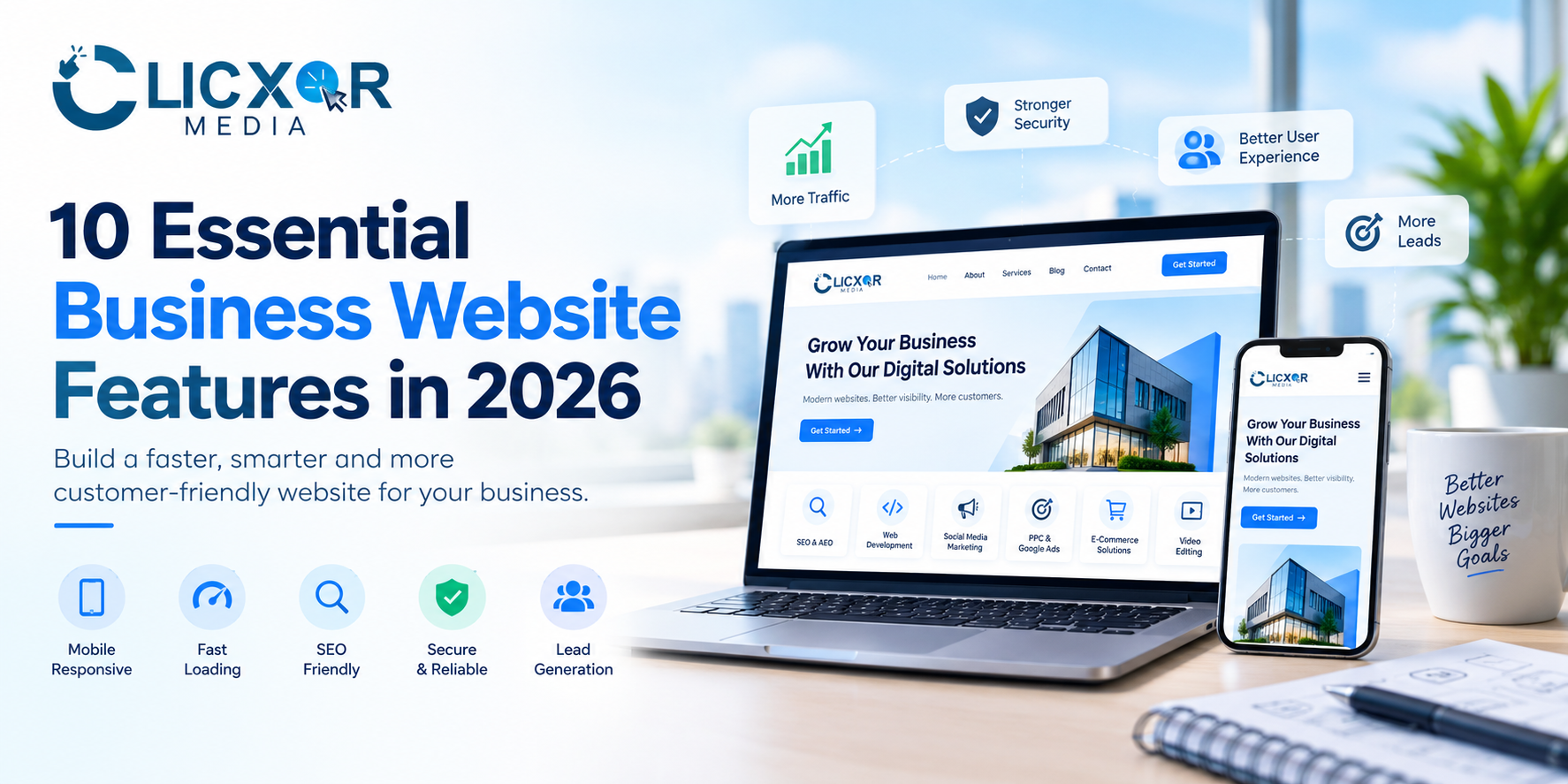
A business website goes beyond simply having an online presence. The right business website features help potential customers explore your company, compare your services, assess your expertise, and decide whether they can trust your business.
Just because you have launched a website doesn’t mean that you will get inquiries or sales. A website which has confusing navigation, slow loading speeds, out-of-date information, or no means of contacting you can cause visitors to leave before they have worked out what your business does.
In 2026 businesses will need websites which have a professional design, offer a good user experience, are search engine optimised (SEO), are secure, are accessible and are able to generate leads efficiently. These websites should also give clear and useful information that can be understood by search engines and by answer engines powered by AI.
No matter if you are running a startup, a local business, a professional service firm, or an established brand, knowing about the key features of a business website can help you establish a more solid digital base.
This article will look at ten important website features, explain the reason why they are important, and provide some practical methods for putting them into effect.
What will the most important features of business websites be in 2026-2027?
The key features of a good business website are mobile-responsive design, a fast loading speed, clear calls to action, easy navigation, secure contact forms, trust-building content, an SEO-friendly structure, accessible design, the ability to track analytics, and the provision of useful content for customers.
These features collectively enable companies to provide a reliable online experience, enhance discoverability, and convert website visitors into potential customers.
1. Mobile-Responsive Website Design
Mobile responsiveness is one of the most important features that every business website should have, since customers can come across your business through Google Search, on social media, in online advertisements, or via shared links on their smartphones.
People may have difficulty reading the text, navigating the menus, viewing the images, or filling in enquiry forms if your website does not adapt correctly to smaller screens.
Google also indexes and ranks the mobile version of web page content, which makes it important to consider mobile usability when carrying out SEO.
What needs to be included in a mobile-friendly website?
- Design that works for smartphones, tablets, and desktops.
- Text that is easy to read and doesn’t require users to zoom in.
- Buttons that are easy to press.
- Navigation menus suitable for use on smaller screens.
- Images that reduce in size without the layout being disrupted.
- Forms which are easy to complete on mobile devices.
For instance, a customer who is looking on their phone for a web development company should be able to find out about your services and get in touch with your team without having to scroll unnecessarily or feeling frustrated.
Here’s a practical tip: Make sure to test your website on a variety of screen sizes and on actual mobile devices, and check the homepage, the service pages, the contact forms, and the navigation rather than limiting yourself to just one page.
2. The website loads quickly and has good performance.
The speed of your website affects how easily visitors can access your content; a slow website can disrupt the customer journey, in particular when users have poor connectivity or are using mobile devices.
Performance is also important for search visibility since Google advises good Core Web Vitals as part of providing a positive page experience, even though achieving these metrics does not ensure better rankings.
The Core Web Vitals thresholds recommended by Google are a Largest Contentful Paint (LCP) of 2.5 seconds or less, an Interaction to Next Paint (INP) of 200 milliseconds or less, and a Cumulative Layout Shift (CLS) of 0.1 or less.
How to improve website speed
- Reduce the size of images and use formats such as WebP or AVIF when it’s appropriate to do so.
- Get rid of any unnecessary plugins, scripts, and third-party integrations.
- Enable suitable browser caching.
- Make use of a reliable web hosting service one that meets the requirements of your website.
- Minimize render-blocking resources.
- Check your website with Google PageSpeed Insights.
- Keep an eye on real-user performance by using the available Core Web Vitals reports.
A business website doesn’t need complicated animations or very large visual elements in order to appear professional. A simple design using optimized images can offer a better user experience while still maintaining your brand identity.
Here’s a practical tip: Don’t forget to test your website’s performance on both mobile and desktop systems, since a good desktop score doesn’t guarantee that it will perform just as well on a smartphone.
3. Clear actions that prompt the reader to respond
A visitor need not try to work out what to do when they arrive at your website, since clear calls to action will lead them to carry out important actions such as asking for a quotation, booking a consultation, making a purchase, or getting in touch with your team.
Even if a website is appealing, it might have difficulty in obtaining enquiries unless there is a clear next step.
Examples of effective calls to action
- Get a Free Consultation
- Request a Quote
- Book an Appointment
- Call Our Team
- Chat on WhatsApp
- Explore Our Services
- Start Your Project
Put your main call to action in a location where visitors can easily see it, for example in the website header, next to the main headline, and following the relevant service information.
The call to action should correspond with the purpose of the page; for example, a page offering web development services might ask visitors to request a project estimate, while an educational blog post could urge readers to go to a related service page.
Do not include multiple competing buttons in the same area, and make it clear what the main aim of each page is.
Here’s a practical tip: keep record of clicks on calls to action and of completed enquiries in order to work out which placements and messages lead to meaningful business results.
4. Simple navigation and a user-friendly structure
Good website navigation enables visitors to find the information they need quickly; if users are unable to locate your services, details about the company, pricing information, or means of contact, they might leave without looking any further.
Because the website is well organised, it simplifies the customer journey and enables search engines to discover the relationships between your pages.
Essential navigation elements
- Home
- About Us
- Services
- Individual service pages
- Portfolio or case studies
- Blog or resources
- Contact Us
The menu you end up with will vary according to your business model; for example, a small consulting firm might need only a few essential pages, whereas an e-commerce business could require product categories, filters, account access, and customer support options.
It is better to use descriptive menu labels rather than general ones; for instance, ‘SEO Services’ says more clearly than ‘Solutions’ when visitors are looking for search engine optimization services.
Arrange the relevant pages in a logical order and provide links between the appropriate resources. Breadcrumb navigation will also enable users to understand their position within large websites.
Here’s a practical tip: have a person who is not familiar with your website try to find a particular service or make an enquiry; their experience might show you navigation issues that you yourself have failed to notice.
5. Ensure that the contact forms are secure and provide convenient means of communication.
Contact information is important for businesses that rely on enquiries, consultations, appointments, or sales talks.
People should have the opportunity to get in touch with your business by using a method that fits their own preferences, with some opting for email while others would prefer to call or send a message via WhatsApp.
Contact features every business website should consider
- A simple contact form.
- A clickable phone number.
- A business email address.
- Include a contact option on WhatsApp when suitable.
- When relevant, the business address should be clearly shown.
- Booking an appointment for businesses based on consultations.
- A message confirming that the form has been successfully submitted.
Contact forms should ask for only the information needed in order to deal with an enquiry. For most businesses, a name, a means of contact and a brief message are enough.
Make forms resistant to spam and abuse, use HTTPS, and secure the information which is submitted. Provide a privacy notice that explains how personal information will be used.
For businesses that have local customers, accurate and consistent business information can also help to build trust and promote local discovery.
Here’s a practical tip: Make it a habit to regularly test each way of contacting someone. To do this, send a test enquiry, check that the notifications do in fact arrive, and make sure that the phone and WhatsApp links open properly on mobile devices.
6. Trust signals, testimonials, and evidence of expertise
Often customers assess a company prior to getting in touch with it. They wish to find out who is running the business, what experience the team has, and whether or not the company is able to deliver on what it promises.
A professional website ought to simplify this kind of evaluation by giving accurate and verifiable information.
Important trust-building elements
- A detailed About Us page.
- Actual team profiles and professional biographies.
- Genuine customer testimonials.
- Relevant case studies and project examples.
- Where applicable, certifications or industry memberships.
- Transparent service descriptions and reasonable expectations.
- Correct contact details and information about the company.
- Clear policies, price details, or quote processes.
For instance, a digital marketing agency could produce a case study which outlined the client’s original problem, the strategy that was put into place, and the results that were measured. Performance claims must be backed by real evidence and be given the proper context.
This method adheres to the principles of Experience, Expertise, Authoritativeness, and Trustworthiness (E-E-A-T) which Google sets out in its search quality guidelines.
E-E-A-T isn’t a single ranking factor capable of ensuring visibility; it is a helpful framework for assessing whether your website provides credible and useful information.
Here’s a practical tip: instead of using general statements like ‘We are the best company’, use specific evidence of your work, together with relevant experience and the value that you offer.
7. SEO-Friendly Website Structure and Technical Setup
Search engine optimisation enables potential customers to find your business when they are searching for relevant products, services or information.
Even if a website appears very attractive, it will still have difficulty drawing in organic traffic if the search engines are unable to crawl its important pages or if they can’t understand the content of those pages.
Instead, a solid SEO foundation should be incorporated when a website is being developed rather than being dealt with afterwards.
Essential SEO features
- Unique and clear title tags and meta descriptions.
- Use clear heading hierarchy by properly applying H1, H2, and H3 headings.
- Short, descriptive URLs.
- Crawlable internal links.
- An XML sitemap.
- Make sure that the robots directives and the canonical URLs are corrected where necessary.
- Descriptive image alt text.
- HTTPS security.
- Structured data that applies where possible.
- Content that is useful and original and which answers customer questions.
For any local business, having special service pages and correct business information can help the website match relevant local searches.
For instance, a company that offers website development and SEO should have a separate page devoted to each of its services rather than depending completely on its homepage.
Structured data may assist search engines in interpreting some information, but it doesn’t ensure that rich results will be obtained. The markup has to correctly reflect the content that is visible on the page and must adhere to the appropriate search engine guidelines.
Here’s a practical tip: link your website with Google Search Console so that you can keep an eye on indexing, search queries, impressions, clicks, and any possible technical problems.
8. Design that is accessible and a consistent user experience
A business website must be usable by people who have different abilities, use different devices, and have various browsing preferences.
It is not just a design improvement since it enables more people to understand the content, navigate the pages, and interact with the various features.
Accessibility features to prioritize
- There should be enough contrast between the text and the background.
- Typography that is easy to read and with suitable text sizes.
- Clear labels for form fields.
- Alternative text that is meaningful for informative images.
- Keyboard-accessible menus and controls.
- Visible keyboard focus indicators.
- Captions or transcripts for related video content.
- Provide clear error messages when forms are not successfully submitted.
A framework for assessing your website can be provided by adhering to the Web Content Accessibility Guidelines (WCAG), especially the WCAG 2.2 recommendations that are applicable.
Consistency is just as important—make sure you reuse familiar button styles, heading formats, spacing, and navigation patterns so that visitors do not have to learn a new interface on each page.
Do not include audio that plays automatically, have too many pop-ups, or use animations that interfere with reading or interacting.
Here’s a practical tip: When testing the key features of a website, use only the keyboard and check the text contrast. Although automated accessibility tools can detect certain problems, manual testing is also essential.
9. Analytics, tracking of conversions, and monitoring of performance
Setting up a website is just the starting point; if you want to enhance its performance then you have to know how people find it, which pages they access, and what actions they carry out.
The process of analytics converts activity on a website into information which can then be used to make better business decisions.
Useful tracking tools and measurements
Google Analytics 4 is able to be used for measuring website traffic, user interactions, and the conversion events that have been set up. Google Search Console gives information regarding organic search performance and indexing.
Depending on your business, you may want to track:
- Phone-number clicks.
- WhatsApp button clicks.
- Contact form submissions.
- Appointment bookings.
- Quote requests.
- Purchases and completed transactions.
- Organic clicks and impressions.
- Landing pages that bring in good leads.
The fact that someone clicks on a phone number doesn’t mean that the call has actually been made, and likewise, just because a form button has been clicked does not show that the form has been successfully submitted.
Take care when setting up events and make a clear distinction between attempted actions and completed conversions. Do not count the same lead more than once.
Keep regularly reviewing the data in order to spot useful patterns; for instance, if one service page draws in a lot of visitors but results in only a small number of enquiries, then it will be necessary to improve the page’s content, call for action, form, or its relevance to the original search intent.
Here’s a practical tip: Before you start a marketing campaign, make sure to check your tracking setup thoroughly, from beginning to end, and verify that significant actions are properly recorded in your analytics reports.
10. Content that is helpful and has been optimized for search engines and for answers provided by AI
People nowadays expect websites to clearly answer practical questions. They would like to find out about the services offered, compare the different options, learn something about the costs, and be able to make informed decisions without coming across unnecessary confusion.
Useful content also gives search engines and AI-driven answer systems a clearer understanding of your business and expertise.
It is at this point that traditional SEO, Answer Engine Optimization (AEO), and Generative Engine Optimization (GEO) can combine their efforts.
How to make your content more useful
- At the start of the page, answer the customer’s main question.
- Include descriptive headings to explain the content of each section.
- Give specific examples, make use of comparisons, and provide practical suggestions.
- Write FAQs using real customer questions.
- Present original insights drawn from real experience.
- Make sure that business information is accurate and remains consistent.
- Provide reliable sources when making any factual claims.
- Link related service pages and articles together using useful internal links.
- Structured data should only be used when it is appropriate.
- When services or information change, check the older content.
For instance, an article on the features of a business website shouldn’t just give a list of ten features; it should explain why each feature is important, describe how a business can put it into effect, and indicate what mistakes to avoid.
You don’t need to stuff in keywords or write solely for machines when producing AI-friendly content; clear, accurate, and well-organized information is more useful to people and easier for automated systems to understand.
There is no sureway of getting yourself cited by an AI answer engine, even if you have good technical accessibility, relevant content, and credible information, since it all comes down to the particular systems and queries in question.
Here’s a practical tip: go through your key pages and check if a potential customer could easily understand what you provide, who you serve, and what they should do next.
Additional Features for Growing Businesses
The ten features mentioned above form a solid base, but certain businesses might require extra functionality.
Depending on your goals, consider adding:
- Payment gateways that are available online and with a simplified checkout process.
- Portals for customers or account dashboards.
- Appointment scheduling systems.
- Tools for live chat or customer support.
- Multilingual content.
- Catalogues of products and an advanced search facility.
- The use of CRM systems for the management of leads.
- Automated email confirmations.
- Having regular backups and a recovery procedure that has been tested.
Select the features based on what the customers need, the operational requirements, and the budget; including unnecessary functionality can lead to higher costs, more maintenance work, and increased website complexity.
A simple website which carries out its main functions reliably is usually more valuable than a complicated one that is hard to manage.
How to Prioritize Business Website Features
When creating a new website or upgrading one that you already have, it is sensible to carry out the various features in an orderly manner.
Start by laying a solid base: ensure that the website is mobile-friendly, fast, secure, and easy to navigate.
Now, improve conversions by including clear calls to action, functional contact forms, convenient ways of communicating, and trustworthy signals.
Then enhance discoverability by improving technical SEO, publishing useful content, linking relevant pages, and setting up analytics.
Lastly, enhance the product on the basis of evidence by introducing more advanced integrations or new features whenever customer feedback and performance data indicate that the investment is worthwhile.
This method enables companies to refrain from spending money on unnecessary features until their main website experience is working properly.
Frequently Asked Questions About Business Website Features
1. What are the key features of a business website?
The key features are responsive design, a fast loading speed, clear navigation, strong calls to action, secure contact forms, trust signals, SEO-friendly content, accessibility, analytics, and dependable website security.
2. Why should a business website be mobile-friendly?
A website that is mobile-friendly makes it easier for people using smartphones to read the information, browse the services, and get in touch with the business; Google also indexes and ranks the mobile version of the content.
3. Does the speed of a website have an effect on SEO?
Website performance and Core Web Vitals figure among Google’s considerations of page experience; yet having good performance does not ensure high rankings since relevant content, technical accessibility, and a number of other factors also play a role.
4. What lead-generation features are available on the website?
Clear calls to action, short enquiry forms, click-to-call buttons, integration with WhatsApp, appropriate service pages, customer testimonials, and efficient conversion tracking all help with generating leads. But the results will vary according to how the features are implemented, the requirements of the audience, and the quality of the offer.
5. Do you need SEO for a business website?
SEO enables search engines to find out about and comprehend the content of websites, which may then link a business with individuals who are searching for its services. It is possible for a website to operate without SEO, but if discoverability is ignored then its capacity to draw in relevant organic traffic might be restricted.
6. In what way can a business website be included in answers generated by AI?
Make sure that the content is useful, original, and accurate, that the page has a clear structure, that the technical implementation is easy to understand, and that you provide reliable information regarding your business. However, there is no guaranteed way to obtain AI citations or have your content included in the generated answers.
7. How frequently should a business website be updated?
You should regularly review the website’s security, forms, backups, and other essential features. Whenever appropriate, and also whenever there are changes to your services, business information, or customer needs, you should reassess the content, performance, accessibility, and SEO.
8. Is it possible to upgrade a website without having to rebuild it?
Yes, features like enhanced contact forms, analytics, internal links, SEO metadata, and accessibility improvements can generally be incorporated into a website that already exists. However, more serious issues relating to performance, security, or the site’s structure might necessitate more extensive development work.
Conclusion
A website that’s the best, for doing business doesn’t need to have the animations, the biggest number of pages or the most complex integrations. What matters most is that it helps customers find what they’re looking for understand the value you offer trust your business and take the step without any extra hassle. At Clicxor Media we focus on making websites that’re easy to use and designed to turn visitors into customers. We help businesses build trust and reach their goals with simple smart websites that work.
A successful business website in 2026 should be based on mobile responsiveness, fast performance, clear calls to action, reliable communication, credible content, technical SEO, accessibility, and analytics.
Begin by checking your website against these ten essential features, address the problems that cause the most friction for visitors, measure the results, and then keep on improving in light of actual customer needs.
A carefully planned website can support your marketing efforts, enhance your online presence, and open up more possibilities for long-term business growth. Instead, view it as an asset for your business that you should continuously maintain rather than as a one-off design project.
If you’re ready to set up or enhance your business website, take a look at the range of professional web development options available to help you create one that is tailored to your business objectives, customer experience, and long-term growth.